ADHD App UI Design Breakdown: Tiimo, Numo & Motion (2026)
How Tiimo, Numo, and Motion approach ADHD app UI design — visual time-blocking, gamified habits, and AI scheduling. Real patterns, honest takeaways.

Designing for ADHD Inverts Most UX Best Practices
The conventional wisdom in interface design says: get out of the user's way. Strip the UI down. Give them a blank canvas and let them decide.
For users with ADHD, that advice can be paralyzing.
Good adhd app UI design starts from the opposite premise: structure guides rather than restricts. A blank text field isn't freedom — it's a demand for executive function. Starting a task, switching between contexts, remembering what comes next, not getting overwhelmed by a wall of options — each of these carries a real cognitive cost for neurodivergent users, and most apps weren't designed with that cost in mind.
Designing for ADHD means doing the opposite of minimalism-for-its-own-sake. It means building structure that guides without overwhelming, making time feel real and spatial instead of abstract, and delivering feedback that's honest rather than manipulative. It means treating every extra tap, every ambiguous prompt, and every "blank slate" moment as a potential exit point.
Three apps are doing notable work in this space: Tiimo, Numo, and Motion. They each attack a different slice of the executive-function problem. This post breaks down what's working, why it works, and what you can take into your own products — whether you're building a wellness app, a productivity tool, or anything in between.
ADHD App UI Design: Why It Breaks Normal UX Rules
Before the app breakdowns, it's worth naming the four design constraints that make ADHD-focused products genuinely different.
The blank-canvas problem. Open-ended inputs — "What do you want to do today?" — require the user to generate structure from nothing. For many people with ADHD, that generation step is the bottleneck. Giving the user a pre-populated structure (suggested tasks, time blocks, templates) dramatically lowers the starting cost. Structure isn't a crutch; it's the product.
Time blindness. ADHD is often described — in a framing associated with psychologist Russell Barkley — as having two time zones: now and not now. A numbered to-do list treats tasks as abstract, equivalent items. A visual timeline makes time concrete and spatial. Seeing that a task occupies 30 minutes of a specific block at a specific point in the day is fundamentally different from reading "30 min" next to a bullet point. Visual time-blocking patterns exploit this difference by design.
The cost of context-switching. Every additional tap, every modal, every confirmation dialog carries a higher penalty when working memory is already taxed. An interaction that costs a neurotypical user two seconds of mild friction might cost an ADHD user the thread of what they were doing. Reducing the tap count isn't just a UX nicety — it's critical.
Reward timing and honesty. ADHD brains are particularly responsive to immediate feedback. This creates a real tension in product design: the same dopamine loop that makes streak mechanics and completion animations effective can tip into manipulation if it's engineered to drive engagement for its own sake rather than to support the user's actual goals. The best apps in this space have thought carefully about where that line is.
Tiimo — Visual Time-Blocking, Designed for Neurodivergent Users
Tiimo is a visual time-planning app built specifically for neurodivergent users, including people with ADHD, autism, and dyslexia. Its core surface is a day timeline — not a list, not a grid — where each activity is represented as a color-coded block with an icon and optional emoji. The timeline scrolls through your day like a ribbon, with a "now" indicator anchoring where you are in real time.
What makes the timeline work. The progress ring on each active activity is a well-executed micro-interaction. Rather than a static block with a start time, the ring fills in as the activity elapses, giving a continuous, glanceable sense of how much time remains. It makes time visible without requiring the user to do any subtraction in their head. This is the spatial-time principle made concrete.
The onboarding avoids the blank planner trap. New users aren't dropped into an empty timeline and told to fill it in. Instead, Tiimo walks through a guided setup: what kinds of activities you want to track, what times your day starts and ends, which icons feel meaningful to you. The setup itself demonstrates what the timeline will look like when populated. By the time you're done with onboarding, you already have a working day plan — you never faced the blank canvas.
Icon-first task entry lowers the starting cost. Instead of typing a task name and hoping the right words come, Tiimo leads with icon selection. Browsing a visual icon library is a lower-stakes starting point than a blank text field. The label becomes secondary, optional. This is a small pattern with a large effect on follow-through for users who get stuck on naming.
Home screen widgets and focus mode extend the benefit outside the app. Tiimo's widgets show the current activity and the next one — so the user doesn't need to open the app to stay oriented. Focus mode strips the timeline down to a single active task with a large progress ring. These aren't just nice-to-have features; they directly address the context-switching cost by keeping information ambient.
Takeaway: Make time spatial, not numeric — progress rings and visual blocks beat timestamp lists. Build the first use case during onboarding rather than explaining what to do after setup. Lead task entry with visuals (icons, color) before text to lower the generative burden.
Numo — Community and Habit-Building for ADHD
Numo approaches the ADHD problem from a different angle. Where Tiimo focuses on structuring time, Numo focuses on the consistency problem: starting habits, keeping them going, and recovering when you fall off. It's a smaller, faster-moving app, so specific features vary by version — for actual screens, see Numo on Gummble.
Gamified habit loops and the honesty question. Numo uses streak mechanics, completion rewards, and visual progress to make habit repetition feel rewarding. Product research suggests visible progress chains can increase follow-through — but streaks can backfire badly for many people with ADHD if the system is punishing when a streak breaks. The critical design decision is what happens at day zero. An honest streak system treats a missed day as a reset without shame; a manipulative one uses anxiety about losing the streak to drive re-engagement. Numo's general approach leans toward recovery-oriented framing, though the exact implementation varies.
Social accountability patterns. One of the well-documented strategies for ADHD is body doubling — working in the presence of another person. Apps in this space sometimes use lightweight social feeds as a digital version of that: seeing other users complete their habits creates a social reference point that supplements internal motivation. Whether Numo's current version includes a community feed may vary; the underlying pattern is worth considering regardless.
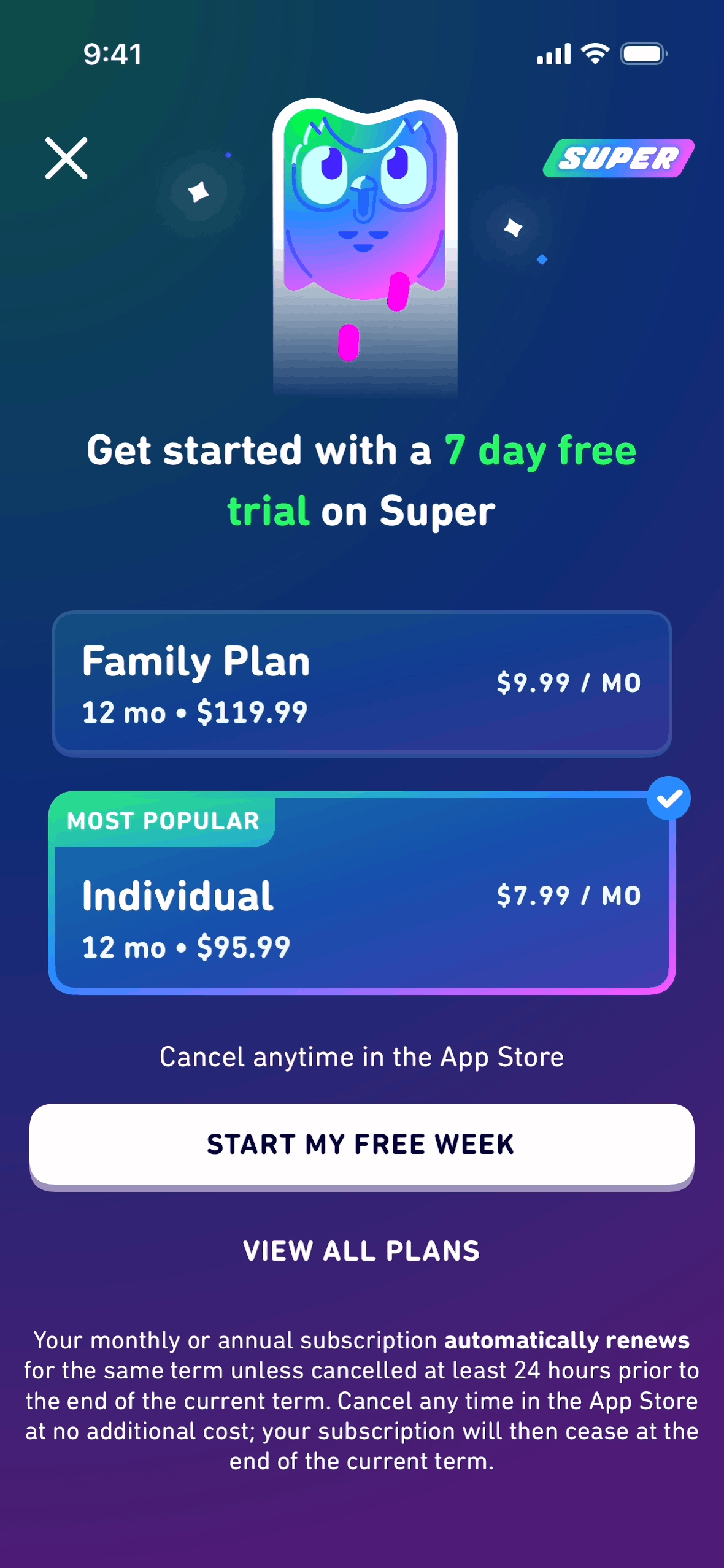
Personalization quiz before the paywall. Numo's general approach runs users through a personalization quiz before asking for payment. The quiz tailors habit suggestions to the user's specific challenges and invests the user in the product before the conversion moment. By the time the paywall appears, the user has already seen what a customized experience looks like for them. This sequencing — paywall at maximum perceived value, not at the start of the relationship — is a pattern worth studying regardless of your product category.
Takeaway: Design the failure-recovery moment as carefully as the success moment — shame-free resets keep mechanics functional. Social accountability doesn't require a full social graph; a focused peer activity layer can be enough. Place the paywall after the personalization step so the user converts on demonstrated value.
Motion — AI Auto-Scheduling for Executive-Function Overload
Motion addresses a different ADHD tax: decision overload. Even if a user can name all their tasks, deciding when to do each one — in what order, given what constraints, accounting for how long things actually take — requires sustained executive function that's genuinely hard to sustain. Motion removes that decision by doing it automatically.
The auto-scheduled calendar and the trust problem. Motion's core interaction is simple to describe but tricky to design: you add tasks and deadlines, and Motion builds your day for you. The UX challenge is making an AI-generated schedule feel like yours rather than something imposed on you. Motion handles this by showing the reasoning — task priorities, deadlines, available blocks — in a way that makes the algorithm legible without overwhelming the user. The day view looks like a normal calendar, not a robot's output. That visual familiarity matters for trust.
Task entry → auto-placement and the feedback gap. When you add a task to Motion, there's a brief moment where you've typed the task name and the deadline and you're waiting to see where it lands. That placement feedback — the animation or transition that shows the task appearing in your calendar — is the moment where the "trust the AI" mental model either clicks or doesn't. The transition needs to be fast enough to feel responsive and legible enough to communicate where and why the task landed where it did.
The replan moment when the day slips. This is the design problem that separates good auto-scheduling tools from great ones. When a meeting runs long, when a task takes twice as long as estimated, when something urgent arrives — the scheduled day breaks. How the app handles the replan is often more important than how it handles the initial build. Motion's auto-rescheduling is frequently criticized as opaque: when the calendar reshuffles, it isn't always clear what moved or why. This is the genuine design challenge in AI scheduling — making the cascade of impacts legible without overwhelming the user. For many people with ADHD, a chaotic mid-day replan can be a significant disruption. A transparent, low-panic replan flow is the key unsolved problem in this category.
Takeaway: AI-generated output needs to look familiar, not algorithmic — use standard calendar conventions, not novel layouts. The feedback between "task added" and "task placed" is a moment of trust-building, not just an animation. Design the recovery flow — what happens when the day breaks — as carefully as the initial scheduling flow.
Side-by-Side Comparison
| Tiimo | Numo | Motion | |
|---|---|---|---|
| Core metaphor | Visual timeline | Habit streaks | Auto-built day |
| Reduces which ADHD tax | Time blindness | Starting + consistency | Decision overload |
| Primary surface | Day timeline + widget | Community feed | Auto calendar |
| Onboarding style | Guided setup | Personalization quiz | Connect calendar |
| Platform | iOS | iOS | Web |
5 Design Principles for ADHD-Friendly Products
These principles apply across product categories. Whether you're building a productivity tool, a wellness app, or something adjacent, they're worth internalizing.
1. Structure beats blank canvas. Pre-populate wherever you can. Offer templates, suggested starting points, and default configurations. Empty inputs are not neutral — they're demands on executive function. The more structure you provide upfront, the lower the starting cost.
2. Make time spatial. If your product involves time in any way — schedules, habits, durations, deadlines — represent it visually. Progress rings, timeline ribbons, and block calendars communicate temporal relationships that numbered lists cannot. The dashboard metaphor, applied carefully, is often the right instinct.
3. Reduce decisions, not just clutter. Minimalism that removes visual noise is not the same as minimalism that reduces cognitive load. You can have a sparse UI that still forces the user to make five decisions on every screen. The goal is to reduce the number of choices the user has to make, not just the number of pixels on screen.
4. Reward honestly. Feedback mechanics — streaks, completion animations, progress indicators — are powerful for ADHD users specifically. Use them to reinforce the behavior you're actually trying to support, and design the failure state without punishment. An app that makes a user feel bad for missing a day has optimized for engagement metrics at the cost of user wellbeing.
5. Design the "I fell behind" recovery moment. Every ADHD-focused app has this moment: the user comes back after a gap, the plan has collapsed, and they need to get oriented again. What does the app show them? How does it help them pick back up without shame or overwhelm? The quality of this recovery flow often determines whether a user comes back long-term. It's worth at least as much design attention as onboarding.
Where to Look Next
These three apps represent three distinct design philosophies for the same underlying challenge. Tiimo is the strongest reference for visual timeline design and icon-first input. Numo is worth studying for honest gamification and paywall sequencing. Motion is the sharpest case study for AI-output trust UX and the unsolved recovery-flow problem.
If you're building in this space, Gummble's app library has screenshots from all three: Tiimo, Numo, and Motion. You can inspect the indexed screens — the progress rings, the replan views, and the paywall moments — in one reference workflow. Compare that workflow and current pricing on the Mobbin alternative page.
See also: Focus app UI design breakdown · What makes great app onboarding · Settings screen design examples
Want more design inspiration? Browse 1,500+ apps on Gummble — across shipped iOS, Android, and web products.
Founder of Gummble. I build and maintain the Gummble catalog — UI screenshots and UX flows from 1,500+ real iOS, Android, and web apps — and write about the design patterns I see across them.
See these patterns in action
Browse 1,500+ apps across shipped iOS, Android, and web products.
Browse the Library →