12 Best AI App Designs in 2026 — UI & UX Patterns
Explore the best AI-powered app UI designs in 2026. From ChatGPT to Superhuman — real screenshots showing how top products design conversational, generative, and AI-native interfaces.

12 Best AI App Designs in 2026
AI apps present a fundamentally new design challenge: how do you build interfaces for unpredictable outputs? The best AI products in 2026 have moved beyond chat bubbles to create genuinely new interaction paradigms — streaming responses, multi-modal inputs, confidence indicators, and hybrid human-AI workflows.
Here are 12 AI apps with exceptional UI design, with links to browse their full screenshot collections.
Browse all AI app screenshots →
The Design Challenges Unique to AI
- Latency management: AI responses take seconds, not milliseconds. The best apps make waiting feel productive.
- Uncertainty communication: AI can be wrong. How do you show confidence levels without eroding trust?
- Multi-modal I/O: Text, images, audio, video — AI apps increasingly accept and produce all formats.
- Context windows: Users need to understand what the AI "remembers" and what it doesn't.
- Prompt engineering UX: Making powerful AI accessible without requiring users to learn prompt syntax.
1. Superhuman
Superhuman's AI features are seamlessly integrated into its email workflow. Auto-summarization, smart replies, and AI-powered search don't feel like separate features — they're extensions of the core experience.
Why it stands out: AI features activated via the same Cmd+K command palette. No separate "AI mode" — the intelligence is ambient. Inline AI suggestions that can be accepted with a single keystroke.
Browse Superhuman screenshots →
2. Character.AI
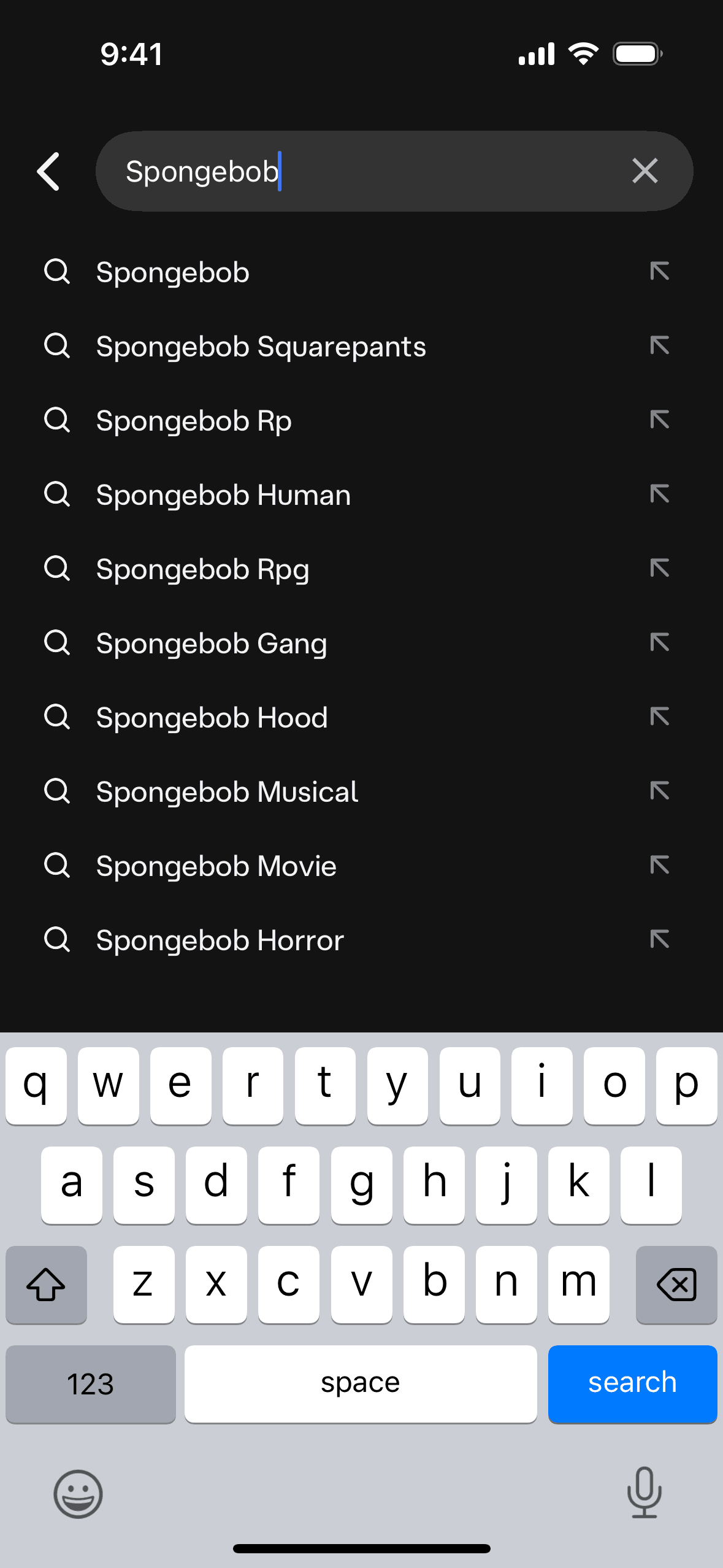
Character.AI lets users create and chat with AI personalities. Its interface handles the unique challenge of multi-character conversations with distinct visual identities for each character.
Why it stands out: Character cards with personality previews. Chat bubbles with character-specific styling. The character creation flow that makes AI persona design accessible to non-technical users.
Browse Character.AI screenshots →
3. Hume AI
Hume AI focuses on emotionally intelligent AI. Their interface visualizes emotional analysis in real-time — a genuinely novel UI challenge that they handle with elegant data visualization.
Why it stands out: Real-time emotion wheel visualization. Voice prosody analysis overlaid on audio waveforms. The developer playground that makes API exploration feel intuitive.
4. ChatGPT
OpenAI's ChatGPT defined the conversational AI interface. Despite appearing simple, the design handles complex interactions — code blocks, image generation, file analysis, and multi-turn reasoning.
Why it stands out: Streaming text response animation. Code syntax highlighting with copy buttons. The model selector with capability hints. Canvas mode for collaborative editing.
5. Midjourney
Midjourney's Discord-based interface was initially a constraint but became a feature — community visibility of generations creates a social discovery layer unique in AI tools.
Why it stands out: Image grid layouts with variation and upscale controls. The prompt evolution visible in thread history. Community gallery as infinite design inspiration.
Browse Midjourney screenshots →
6. Notion AI
Notion AI embeds generative capabilities directly into the document workflow. Rather than a separate chat interface, AI assists within the context of your actual work.
Why it stands out: Inline AI block that expands in-place. "Ask AI" that understands document context. The draft → refine → insert workflow that gives users control over AI output.
7. Perplexity
Perplexity reimagines search as a conversational experience with citations. Every AI response includes source links, addressing the trust problem that plagues AI chatbots.
Why it stands out: Inline citations with source previews. Follow-up question suggestions. The "Pro Search" toggle that shows the AI's research process in real-time.
Browse Perplexity screenshots →
8. Otter.ai
Otter.ai turns meeting recordings into searchable, summarized transcripts. The real-time transcription interface with speaker identification is a standout AI-native design.
Why it stands out: Live transcription with speaker labels and timestamps. AI-generated summary sections (action items, key points). The search-within-transcript interface.
9. Google AI Studio
Google AI Studio provides a developer-focused interface for experimenting with Gemini models. The playground design balances power with approachability.
Why it stands out: Side-by-side prompt/response layout. Temperature and parameter sliders with real-time previews. The structured output schema builder.
Browse Google AI Studio screenshots →
10. Canva
Canva's AI features (Magic Design, Magic Eraser, text-to-image) are integrated into the design workflow. AI assists the creative process without replacing it.
Why it stands out: AI tools accessible from the same toolbar as manual tools. The Magic Design flow that generates full designs from a text prompt. Before/after comparisons for AI edits.
11. Grammarly
Grammarly's AI writing assistant operates as an overlay on existing interfaces. The inline suggestion pattern — underline, hover, accept — is one of the most adopted AI UX patterns.
Why it stands out: Non-intrusive inline suggestions. The severity-coded underlines (red for errors, yellow for style). Full-document rewrite with before/after diff view.
Browse Grammarly screenshots →
12. Anthropic Claude
Claude's interface prioritizes long-form, nuanced conversations. The design handles extremely long responses with good readability and navigation.
Why it stands out: Artifact system for code and documents. The project/conversation organization. Thoughtful handling of very long responses with collapsible sections.
Design Patterns Emerging in AI Apps
-
Streaming over loading — Show partial results as they generate. Never show a spinner when you can show progress.
-
Confidence visualization — Color coding, probability bars, or explicit "I'm not sure" language helps users calibrate trust.
-
Edit, don't regenerate — Let users modify AI output directly. The best AI UX is collaborative, not take-it-or-leave-it.
-
Context is king — Show users what the AI knows. Whether it's a conversation history sidebar or a "sources used" list, transparency builds trust.
-
Graceful degradation — When AI fails, provide clear fallbacks. The worst AI UX is a generic error message after a 30-second wait.
Study these AI interfaces in detail. Browse all AI app screenshots on Gummble →
Explore more design categories:
Explore Related Design Patterns
Looking for specific UI patterns used across these AI apps? Browse real examples:
- Onboarding design patterns → — How top AI apps introduce their features
- Login & authentication screens → — Social login, SSO, and passwordless auth
- Dashboard design patterns → — Analytics and metrics dashboards
- Search UI patterns → — Search bars, filters, and AI-powered discovery
- Empty state designs → — Zero-data moments in AI interfaces
- Paywall & subscription screens → — How AI apps monetize with premium plans
Founder of Gummble. I build and maintain the Gummble catalog — UI screenshots and UX flows from 1,500+ real iOS, Android, and web apps — and write about the design patterns I see across them.
About Azura →See these patterns in action
Browse 1,500+ apps across shipped iOS, Android, and web products.
Browse the Library →