30 UX Microcopy Examples From Real Apps (And How to Pull More With AI)
Real UX microcopy examples for empty states, error messages, onboarding, paywalls, and buttons, plus how to search real product wording with an AI agent using the Gummble MCP microcopy tool.

What is UX microcopy?
UX microcopy is the small, functional text inside an interface: button labels, empty-state messages, error and validation copy, onboarding hints, tooltips, and confirmation dialogs. It is the difference between "Something went wrong" and "Your card was declined. Try another card or contact your bank." Good microcopy reduces confusion, prevents errors, and carries brand voice in the moments that decide whether a user keeps going or drops off.
Below are 30 examples organized by the moment they appear in, followed by how to pull real, attributed microcopy from shipped apps with an AI agent instead of inventing it.
Empty-state microcopy
An empty state is a chance to teach, not an apology. The best ones name the value and give one clear next action.
- Task app, no tasks yet: "Nothing here yet. Add your first task and it shows up right here."
- Finance app, no transactions: "No transactions yet. Once you spend or get paid, it lands here automatically."
- Inbox, all caught up: "You are all caught up. Nice work."
- Search, no results: "No matches for that. Try a shorter word or check the spelling."
- Collection, empty: "Save your first screen to start a collection. Tap the bookmark on any screen."
- Notifications, none: "No new notifications. We will tell you when something needs you."
The pattern: state the emptiness plainly, then point to the single action that fills it.
Error and validation microcopy
Errors are where microcopy earns its keep. Say what happened and what to do next, in the user's language, never the system's.
- Card declined: "Your card was declined. Try another card, or contact your bank."
- Wrong password: "That password does not match. Try again or reset it."
- Network drop: "You are offline. We will retry when you are back."
- Field required: "Add your email so we can send your receipt."
- File too large: "That file is over 10 MB. Try a smaller one."
- Rate limited: "Too many tries. Wait a minute, then try again."
The pattern: no blame, no jargon, always a next step. "Invalid input" is a dead end; "Enter a date in the future" is a door.
Onboarding microcopy
Onboarding copy should lower the perceived cost of the next tap and set the reward.
- Permission priming: "Turn on notifications so we can remind you before your streak breaks."
- First value: "Pick three topics and we will build your feed."
- Progress: "Two steps left. This takes about a minute."
- Skip with grace: "Not now. You can set this up later in Settings."
- Reassurance: "You can change any of this whenever you want."
- Activation nudge: "Add one project to see how boards work."
The pattern: frame each step as small, reversible, and worth it.
Paywall and upgrade microcopy
Paywall copy converts when it names the value the user already feels, not the features you want to sell.
- Value frame: "You have saved 40 screens. Go unlimited to keep every one."
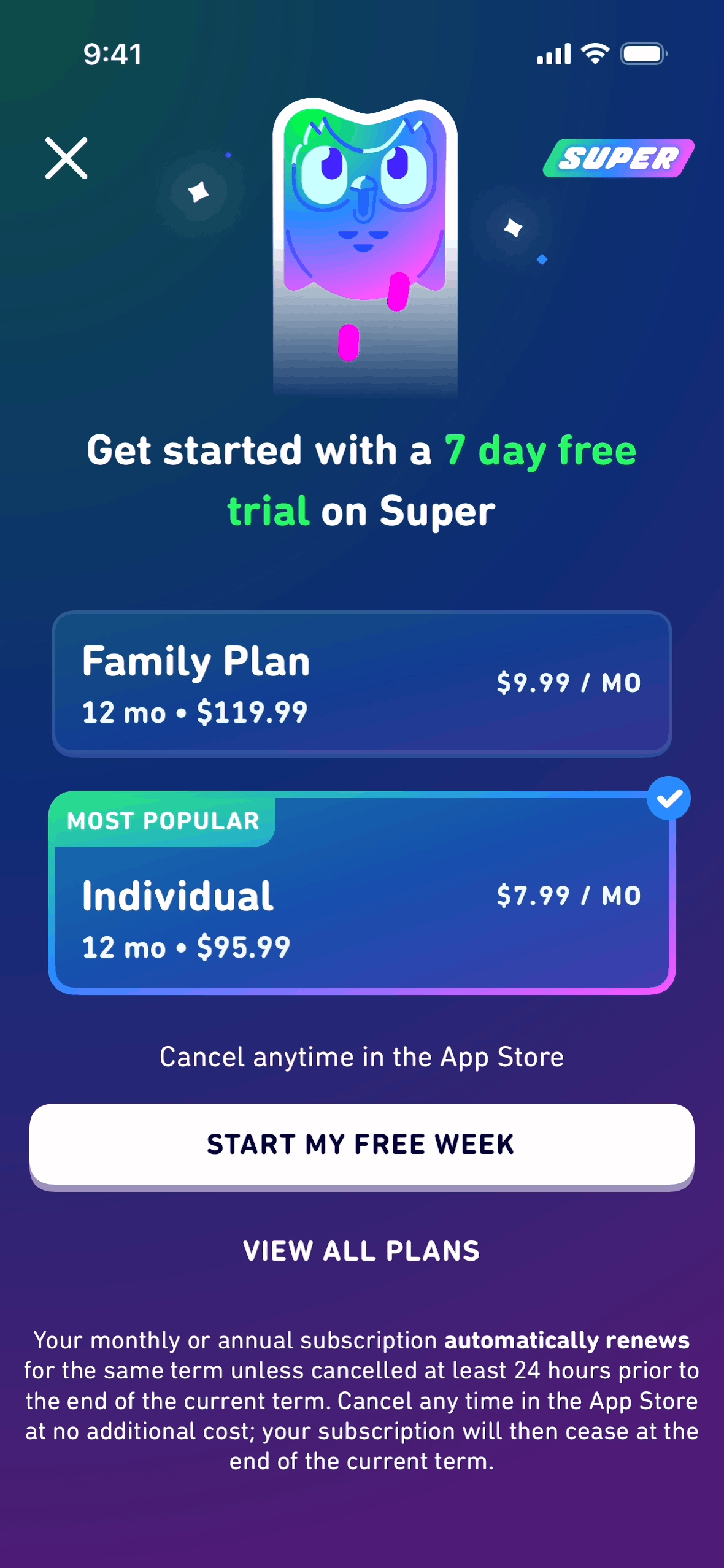
- Trial: "Start your 7-day free trial. Cancel anytime, no charge if you cancel first."
- Annual nudge: "Switch to yearly and save two months."
- Limit reached: "That is your last free download this month. Upgrade for unlimited."
- Social proof: "Join the designers who research faster with Pro."
- Honest CTA: "See plans" beats "Unlock now" when trust is low.
The pattern: anchor value before price, and be honest about the trial terms.
Button and confirmation microcopy
- Destructive confirm: "Delete this collection? This cannot be undone." Button: "Delete collection."
- Specific button: "Save changes" beats "Submit."
- Loading: "Setting up your workspace. This takes a few seconds."
- Success: "Saved. Your changes are live."
- Undo: "Message deleted. Undo?"
- Consent: "Allow camera access to scan documents." Button: "Allow."
The pattern: buttons name the action, confirmations name the consequence.
How to pull real microcopy with AI instead of inventing it
The examples above are patterns. When you are writing for a specific product, search what shipped apps actually say and verify the context. Gummble ships an MCP server with a dedicated microcopy search tool, so a remote-MCP client can pull indexed strings from real apps as you work.
For example, prompt your agent:
Use Gummble to find empty-state microcopy from fintech apps, then rewrite our "no transactions yet" screen in three of those voices.
The agent calls gummble_search_microcopy, returns real empty-state strings from shipped products, and adapts them to your product instead of guessing. The same works for error copy, onboarding, and paywalls. Full setup and 10 prompts are in How to Give Claude Code Real Design References.
Frequently asked questions
What is the difference between microcopy and UX writing?
Microcopy is the small functional text at specific interface points (buttons, errors, empty states). UX writing is the broader discipline of designing all product language, including microcopy, flows, and voice. Microcopy is a subset of UX writing.
What makes microcopy good?
Clarity first: say what happened and what to do next. Then brevity, then voice. A good error message never blames the user and always offers a next step.
Where can I find real microcopy examples?
In shipped apps. Browse real screens and their copy on Gummble, or search microcopy directly from your AI agent with the Gummble MCP server.
How do I write empty-state copy?
State the emptiness plainly, then give one clear action that fills it. "No tasks yet. Add your first one" works because it teaches rather than apologizes.
Can AI write my microcopy?
AI writes better microcopy when it is grounded in real examples. Left to guess, agents produce generic filler. Given real references through an MCP server, they adapt proven patterns to your product. See the prompt guide.
Published by the Gummble team. The examples above illustrate common microcopy patterns; search real, attributed strings from shipped apps on Gummble.
Founder of Gummble. I build and maintain the Gummble catalog — UI screenshots and UX flows from 1,500+ real iOS, Android, and web apps — and write about the design patterns I see across them.
About Azura →See these patterns in action
Browse 1,500+ apps across shipped iOS, Android, and web products.
Browse the Library →